
Part of your membership
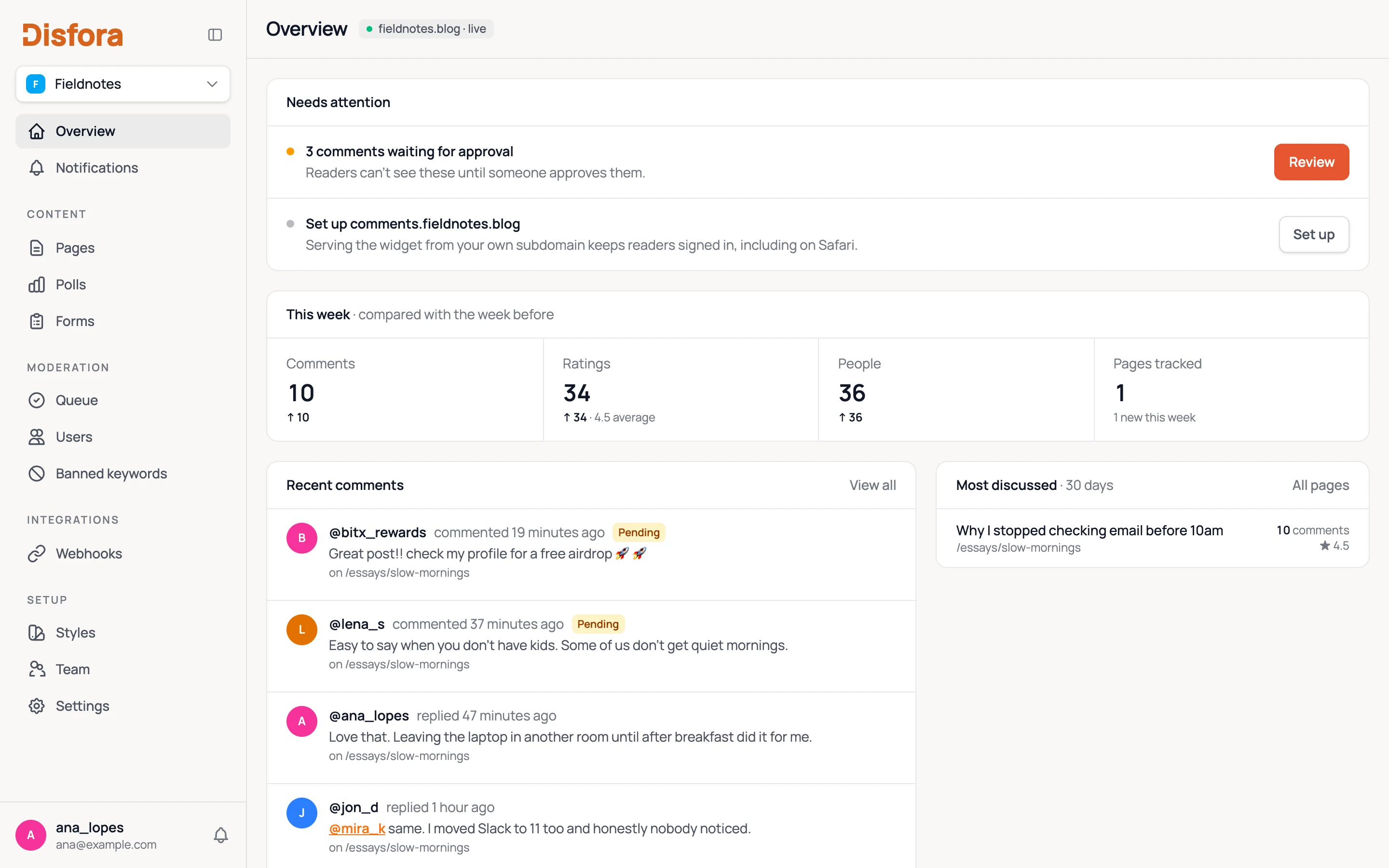
Comments can be a perk for members or paying subscribers, and every commenter is already on your list. Disfora's comments are open to readers who aren't members.
Ghost's comments are only for members, so a reader has to join your publication before they can reply to a post. With Disfora they sign in with Google or an email code, or comment as guests, and comments from before you moved to Ghost can come back.
Switching from something else? See every comparison
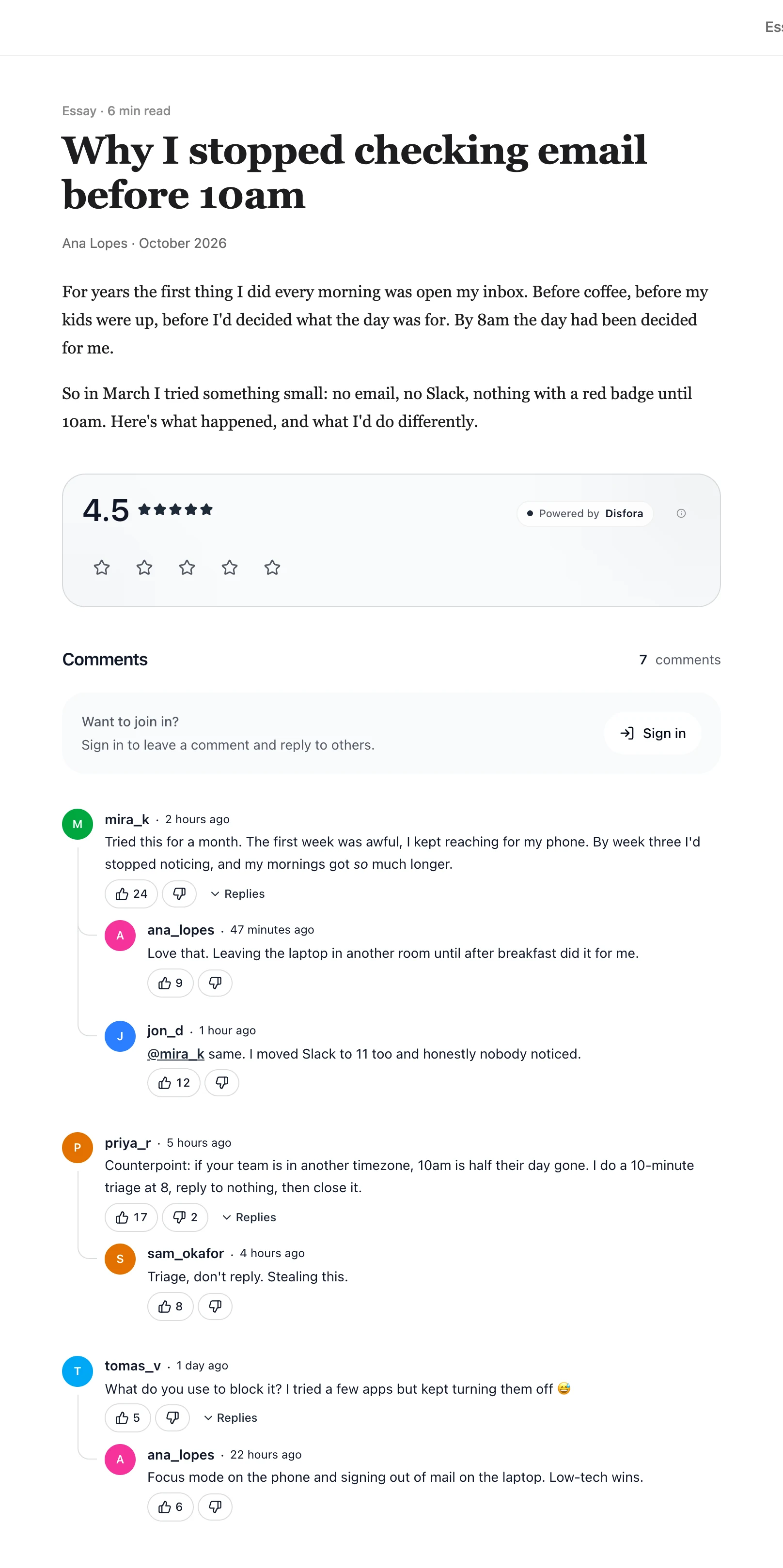
Ghost's comments are built for memberships. Readers sign up with an email link, free or paid, and can then comment, and you can keep comments for paying members only. Threads, votes and pins arrived in May 2026, with a moderation hub for reports, hiding and bans.
The catch is the door. Someone arriving from a search with something to add has to join your publication and confirm an email first. There are no guest comments or social sign-in. And Ghost doesn't document a way to import comments or export them, so comments from your old WordPress or Disqus setup stay behind.
Disfora goes in Ghost's Code injection and your theme's post template. Readers comment without joining your list, old comments come back from a Disqus, WordPress or Commento export, and webhooks send every new one to your server. The Ghost guide has the steps.
Including what Ghost's comments do better, like tying into your memberships.
| Feature | Disfora | Ghost comments |
|---|---|---|
| Who can comment | Readers who sign in with Google or an email code, and guests with just a name if you turn guest comments on | Members only: readers sign up to your publication with an email link, free or paid, before they can comment |
| Comments | Threaded replies, votes, @mentions, Markdown and GIFs, with reply notifications | Threads, votes and pins, added in May 2026 |
| Moderation | Approval queue, banned keywords, bans and shadow bans | A moderation hub with reports, hiding, pinning and bans |
| Where it works | Any site, Ghost included: a script in Code injection and a container in your theme | Ghost sites only |
| Importing comments | From Disqus, Commento and WordPress exports, with replies, names and dates | No documented import |
| Your comments | Webhooks send each new comment to your server as it's posted | No documented export |
| Price | Free for one site, then $5 a month for three | Included in Ghost: free when you host Ghost yourself, Ghost(Pro) from $18 a month billed yearly |
Based on Ghost's commenting guide, its pricing and its changelog. Last reviewed November 2026.
Comments can be a perk for members or paying subscribers, and every commenter is already on your list. Disfora's comments are open to readers who aren't members.
It's already in Ghost, and Ghost's official themes show it. Disfora needs a theme edit, or an HTML card per post on Ghost(Pro) Starter.
Members comment with the same sign-in they use for your newsletter. Disfora readers sign in to Disfora once, with Google or an email code.
In your theme's post.hbs, replace Ghost's comments helper with the Disfora container, then upload the theme again. On Ghost(Pro) Starter, add the container in an HTML card at the end of each post instead.
Create a free account, start a project and enter your domain. No card needed.
Paste the script tag once, and put an empty container where the comments should go. On WordPress, install the Disfora plugin instead: it does this for you.
Prove the site is yours with a meta tag, a file or a DNS record. Comments start showing straight away.
Readers sign in with Google or an email code. To let them comment with just a name too, add free Cloudflare Turnstile keys in Settings and turn on guest comments.
Ghost doesn't document an export for its member comments, so Disfora can't bring them across, and they stay in Ghost.
Comments from before you moved to Ghost can come back. If they were on Disqus, WordPress or Commento, import the export into Disfora and keep the same post addresses, and each comment lands on its post with its replies, author name and date. See Migrate from WordPress and Migrate from Disqus.
Webhooks send every comment to your own server as it's posted, edited or deleted, as signed JSON. They're on the free plan, so your comments don't have to live only in someone else's database.
Not on Disfora. Readers sign in to Disfora with Google or an email code, or comment as guests if you allow it, without joining your publication or its mailing list.
Yes, if they were on Disqus, WordPress or Commento and you have the export. Import it into Disfora and keep the same post addresses on Ghost, and each comment lands on its post with its replies, author name and date. Ghost's own member comments have no documented export, so those can't come across.
Yes, post by post. Starter only runs official themes, so you can't edit post.hbs. Add an HTML card with the Disfora container at the end of a post, and the script in Code injection loads the comments.
Yes, if you turn on guest comments in your project's settings. Guests comment and reply with just a name, after a Cloudflare Turnstile check that runs on your page with your own free Turnstile keys. Their comments wait for your approval unless you turn that off, and they can't vote. Readers who sign in, with Google or an email code, keep one account for every site that runs Disfora. Guest comments are on every plan.
Yes. One site is free with comments, ratings, polls, forms, moderation and webhooks. Paid plans add more sites, automations, form email alerts, unbranded widgets and team members.
The free plan covers one site, takes a few minutes to set up and doesn't need a card.