Disfora

A wpDiscuz alternative that takes comments off your server.

wpDiscuz is free and capable, but your WordPress stores and serves every comment, and the plugin needs prompt security updates. Disfora imports your WordPress comments and hosts them, with moderation, Google sign-in, star ratings and polls built in.

Switching from something else? See every comparison

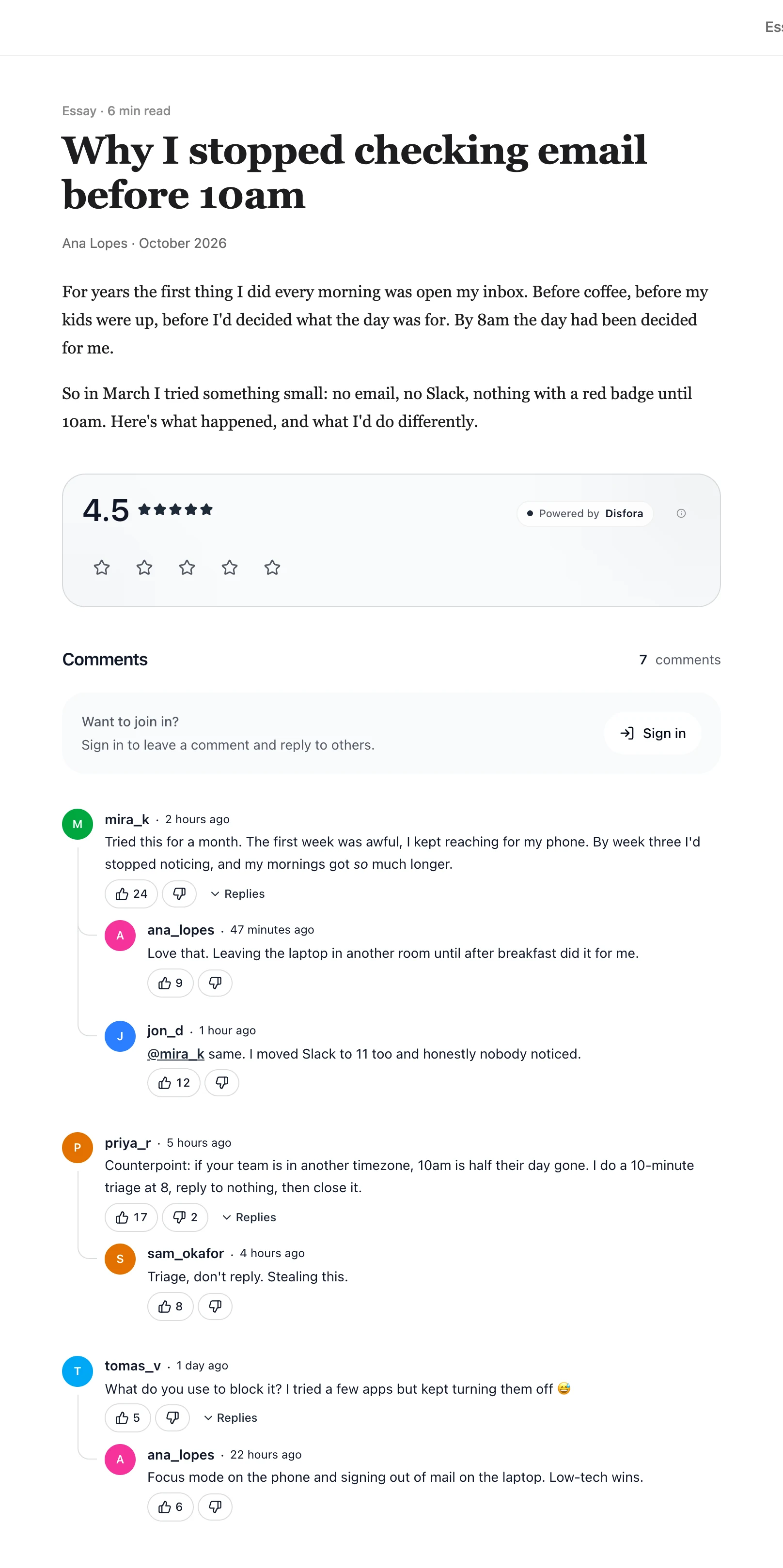
A blog post with the Disfora rating and comment thread underneath

Why people move off wpDiscuz

wpDiscuz is the most popular free comment plugin for WordPress, on more than 60,000 sites with 4.7 stars. It replaces your theme's comments with a faster, richer form: votes, inline comments, social sign-in and subscriptions.

It all runs on your own server. wpDiscuz adds six database tables, and its own docs say that a large number of comments will always load slower. Site owners have complained about the size of its CSS and JavaScript too.

And because it takes input from anyone, it's a target. 2026 brought a run of security fixes, several exploitable without an account, among them a critical SQL injection and stored cross-site scripting through the comment form. All are fixed in the current version, but each one meant updating quickly.

Disfora hosts the comments instead. The Disfora WordPress plugin puts them where wpDiscuz's were, the import brings your existing comments across, and moderation, including shadow bans, is on the free plan.

Disfora vs wpDiscuz, feature by feature

Including what wpDiscuz does better, like costing nothing and keeping comments in your own database.

Feature Disfora wpDiscuz
Status Active Active: version 7.6.75, updated 4 November 2026, on 60,000+ sites
Hosting Hosted by Disfora. Nothing on your server to patch beyond a small plugin A plugin on your WordPress site. Comments go in WordPress's tables, plus six tables of its own for votes, ratings, subscriptions and follows
Where comments load from Disfora's servers, so busy threads add no work for your WordPress Your WordPress server. Its docs warn that threads with hundreds of comments load slower
Who can comment Readers who sign in with Google or an email code, and guests with just a name if you turn guest comments on Guests, WordPress users, and 13 social sign-ins, each set up with your own app keys from that provider
Comments Threaded replies, votes, @mentions, Markdown and GIFs, with reply notifications Threaded replies, up and down votes, inline comments and email subscriptions. Mentions and GIFs are paid add-ons
Moderation Approval queue, banned keywords, bans and shadow bans WordPress's own moderation. Moderating from the page and reporting comments are paid add-ons
Spam A Cloudflare Turnstile check for guests, and every guest comment waits for approval Built-in anti-spam that works alongside Akismet. reCAPTCHA is a paid add-on
Other widgets Star ratings, polls and forms from the same script Comment and post ratings, and custom fields on the comment form
Your comments Imports your WordPress export. Webhooks send each new comment to your server as it's posted In your WordPress database, and in WordPress's own export. wpDiscuz has no export of its own
Price Free for one site, then $5 a month for three Free. Add-ons cost $120 for 17 of them or $190 for all, renewed yearly for updates, or from $25 each

Based on wpDiscuz's plugin page, changelog, database tables, comment thread docs, social login docs, add-ons bundle and full bundle. Last reviewed November 2026.

What wpDiscuz does that Disfora doesn't

Free, with comments in your own database

wpDiscuz costs nothing, and every comment stays in WordPress, where your backups and WordPress's export already cover it. WordPress also prints the comments into the page's HTML, so every crawler sees them. Disfora loads comments with JavaScript, which Google runs but some crawlers don't.

More ways to sign in

wpDiscuz supports 13 social sign-ins, including Facebook, X, LinkedIn and WordPress.com, plus your site's own WordPress accounts. Disfora readers sign in with Google or a code sent to their email.

Inline comments and a big add-on catalogue

Readers can comment on a highlighted passage, you can add custom fields to the comment form, and add-ons cover BuddyPress, myCRED, emoticons and more. Disfora has none of these.

Switching from wpDiscuz

  1. 1

    Export your comments

    In WordPress, go to Tools → Export, choose All content and download the file. You'll import it into Disfora once your site is added.

  2. 2

    Deactivate wpDiscuz

    Do it just before you install the Disfora plugin, so posts aren't left without comments. Deactivating doesn't delete anything: your comments stay in WordPress.

  3. 3

    Add your site to Disfora

    Create a free account, start a project and enter your domain. No card needed.

  4. 4

    Add Disfora to your pages

    Paste the script tag once, and put an empty container where the comments should go. On WordPress, install the Disfora plugin instead: it does this for you.

  5. 5

    Verify your domain

    Prove the site is yours with a meta tag, a file or a DNS record. Comments start showing straight away.

  6. 6

    Choose who can comment

    Readers sign in with Google or an email code. To let them comment with just a name too, add free Cloudflare Turnstile keys in Settings and turn on guest comments.

Your old comments

Upload the WordPress export from step 1 under Import comments in your project's settings. Comments on published posts land under the same posts with their replies, author names and original dates. Pending ones go to your moderation queue, and spam is left out. How the WordPress import works.

Votes, ratings and subscriptions stay behind in wpDiscuz's tables, and nothing in WordPress is changed or deleted.

Keep your own copy from day one

Webhooks send every comment to your own server as it's posted, edited or deleted, as signed JSON. They're on the free plan, so your comments don't have to live only in someone else's database.

Questions about switching

Yes. In WordPress, go to Tools → Export, choose All content and download the file, then upload it in your project's settings under Import comments. Comments on published posts come across under the same posts, with their replies, author names and original dates. Ones waiting for approval go to your moderation queue, and spam, pingbacks and trackbacks are left out. The import is free on every plan.

No. The comments come across with their replies, names and dates, but votes, ratings, subscriptions and follows stay in WordPress and wpDiscuz's own tables. Votes and ratings on Disfora start from zero.

Nothing. They stay in WordPress. On posts that use Disfora they're hidden, and they come back if you switch a post, or the whole site, back to WordPress comments. The import makes Disfora's own copy; it doesn't change or delete anything in WordPress.

Yes. Install the Disfora plugin from the WordPress plugin directory and click Connect with Disfora under Settings → Disfora. It replaces your theme's comments, proves you own the domain for you, and adds a block and shortcodes for ratings, polls and forms.

Yes, if you turn on guest comments in your project's settings. Guests comment and reply with just a name, after a Cloudflare Turnstile check that runs on your page with your own free Turnstile keys. Their comments wait for your approval, and they can't vote. Readers who sign in, with Google or an email code, keep one account for every site that runs Disfora. Guest comments are on every plan.

Yes. One site is free with comments, ratings, polls, forms, moderation and webhooks. Paid plans add more sites, automations, form email alerts, unbranded widgets and team members.

Keep your comments, drop the upkeep

The free plan covers one site, takes a few minutes to set up and doesn't need a card.